
Document Scanner
Document Scanner and Scan PC
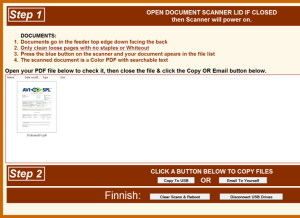
Document scanner is labeled with directions (see below) on the Scanner PC interface.
Tips:
- Insert document upside down with text facing away from you
- To power on/off – open and/or close the lid
Using the Scanner
- Open lid
- Insert document
- Press the blue scan button
Tips:
- Insert document upside down with text facing away from you
- To power on/off – open and/or close the lid
Modified 2026-06-29